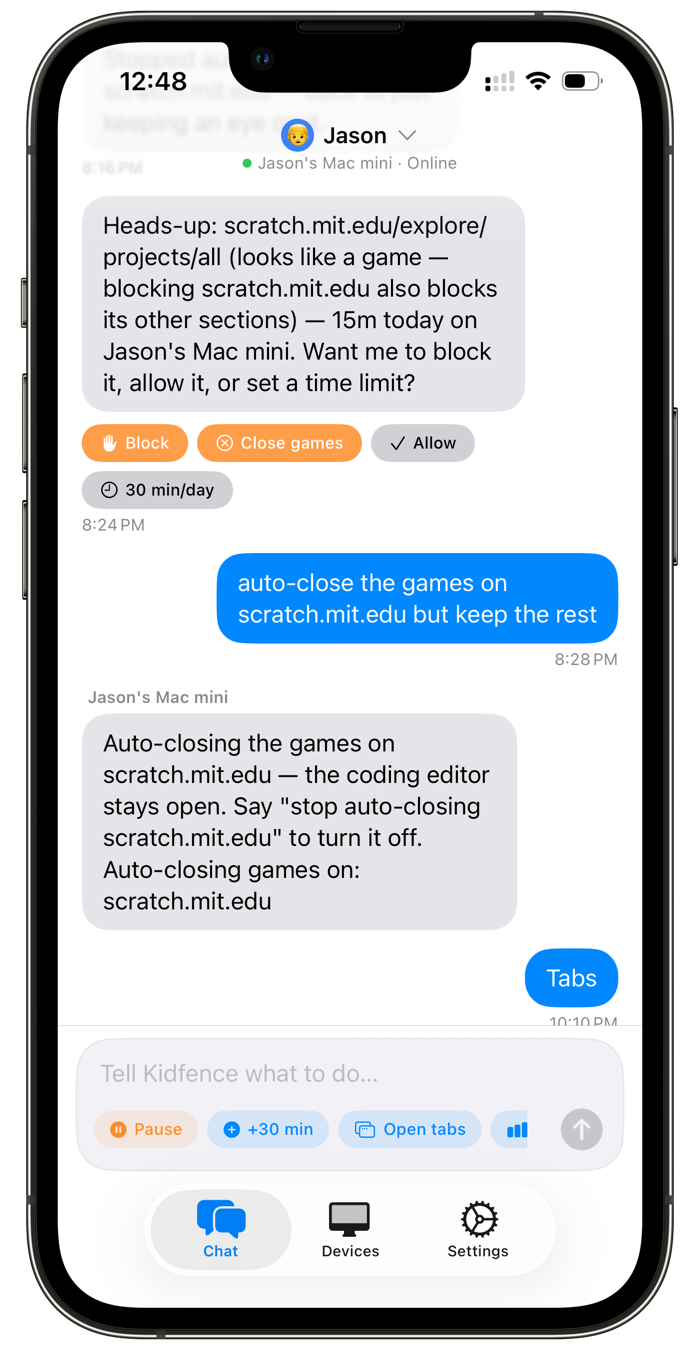
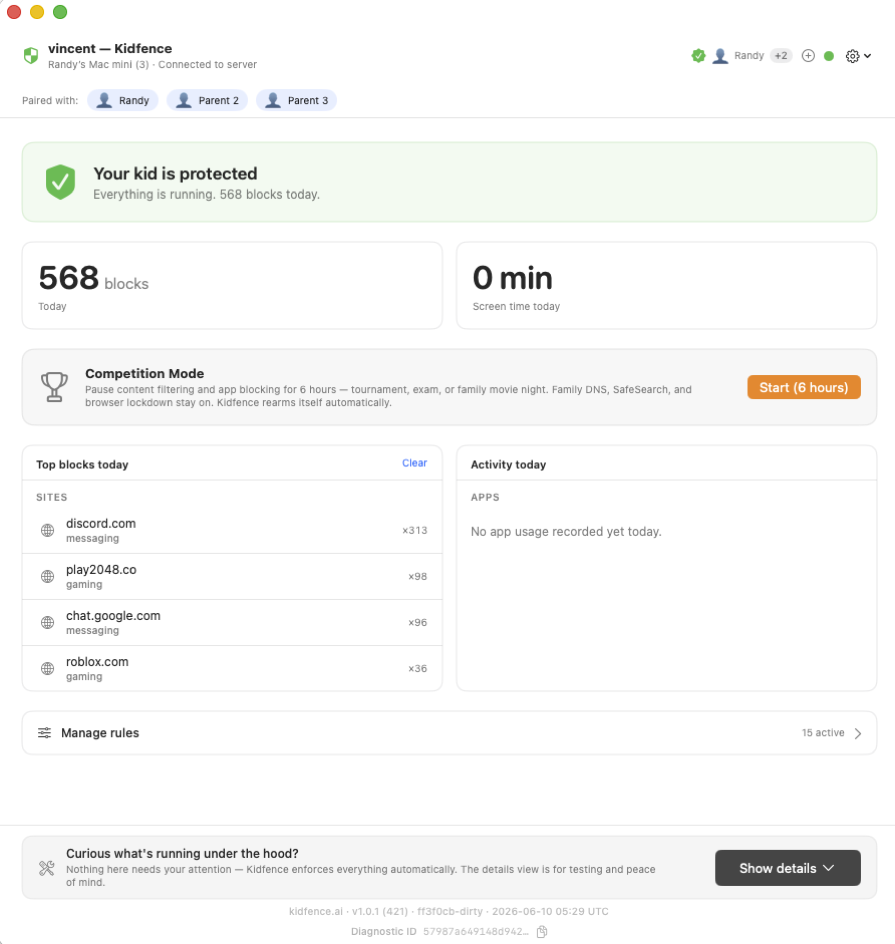
Most parental controls, Qustodio included, focus on web filtering and time limits. Kidfence is a complete protection layer built for macOS: app and game blocking by code signature, network filtering with no VPN, locked DNS and SafeSearch, browser lockdown, and screen-time that actually freezes, all run as a system service a kid can’t simply switch off, and controlled by plain-English chat from your phone.
One of the most common frustrations with web-billed subscriptions is how hard they can be to cancel. Kidfence avoids that entirely: your subscription lives in your Apple ID. Start a 14-day free trial with no card, and if it’s not for you, cancel in Settings → your name → Subscriptions on your iPhone. Because we never hold your payment details, there’s no form to fill out and no one to email to stop billing.
Qustodio focuses on web filtering and time limits. Kidfence layers in the protections a determined kid on a Mac actually tests, and runs as a system service so it stays on with the lid closed and can’t be disabled with a new account.
Roblox, Minecraft, Steam, Discord, or any app, blocked by code signature, so renaming the app to Homework.app doesn’t bypass it. Endpoint Security blocks at launch.
Adult sites, social, and time-sinks blocked at the network layer via SNI. No tunnel, no proxy, no root certificate, HTTPS stays intact, and the Mac doesn’t slow down.
Kids hunt for fresh game, proxy, and unblock sites every week, faster than any fixed list keeps up. Beyond a curated list of roughly 500,000 known sites, Kidfence uses AI to categorize unfamiliar ones on the fly and block games, adult, and proxy sites, so a brand-new URL isn’t an automatic way around the filter.
Family-safe DNS and SafeSearch on Google, Bing, and YouTube are pinned on at the network layer. They can’t be toggled off in the browser, and manual DNS edits are reverted automatically.
Kids download Firefox, Brave, or Arc to dodge filters. Kidfence blocks every browser except Safari and Chrome by signature, and disables incognito and private browsing, so there’s no filter-free way around it.
Kids use school Gmail to chat all day. Kidfence’s browser extension hides the Chat, Spaces, and Meet panels while email keeps working, something general web filters don’t touch.
A daily budget and a bedtime that freeze distracting apps in place, so schoolwork keeps running instead of everything just nagging. Grant 30 more minutes with one message.
Ask any time and Kidfence shows every tab open on the Mac right now, with how long they’ve lingered on each. The AI reads it back in plain English, flags a quick break that’s become an hour on a game site, and suggests what to do, instead of leaving you a wall of logs.
Both block apps and sites, but the protection surface is very different. Here’s what each covers on a Mac.
| Kidfence | Qustodio | |
|---|---|---|
| Built natively for Mac | Mac-first | Cross-platform (mobile-first) |
| Enforced by an always-on system service | System daemon | Per-user app |
| Kid can’t disable it with a new user account | Yes | No |
| App blocking survives renaming the app | Code signature | Varies |
| Locks DNS & SafeSearch on at the network layer | Yes | Web rules |
| AI categorizes brand-new / unknown sites on the fly | Yes | Static categories |
| Blocks unauthorized browsers & incognito | By signature | Partial |
| Hides Gmail Chat, Spaces & Meet | Yes | No |
| Bedtime freezes the app, not just a reminder | Freezes the app | Time limit / lock |
| Controlled by plain-English chat | Yes | Dashboard & menus |
| Shows you every tab open right now | Yes | No |
| No VPN or proxy on the Mac | Network Extension | Uses a local VPN/filter |
| Activity stays end-to-end encrypted (vendor can’t read it) | Yes | Cloud dashboard |
| Subscription billed through Apple (cancel in Settings) | Yes | Via your account |
| Price | $9.99/mo · $79.99/yr | ~$55–100/yr |
Comparison reflects publicly documented product behavior and capabilities as of June 2026. Features and pricing change over time; check each vendor’s site for current details. Qustodio is a trademark of its respective owner; Kidfence is independent and not affiliated with or endorsed by Qustodio.
No. Kidfence enforces from a privileged background service using Apple’s Network Extension (web filtering) and Endpoint Security (app blocking) frameworks. There’s no app window to keep open and nothing that disconnects when the lid closes. Rules apply locally on the Mac, so they keep working even when it’s offline.
If you bought Qustodio through their website, sign in to your Qustodio account and manage the plan under your account settings, and follow up by email if the charge continues. If you subscribed via the App Store, cancel under Settings → your name → Subscriptions on your iPhone. Either way, do it before switching so you’re not double-billed during your Kidfence free trial.
There’s no import, but you won’t need one. Setup is a conversation: tell Kidfence “block Roblox and Discord, two hours a day, bedtime at 9” and it’s done. Most families recreate their whole policy in a couple of sentences.
No, you’re getting materially more protection on the Mac for a comparable price. Kidfence is $79.99/year ($6.67/mo), in the same range as Qustodio’s paid tiers, but it adds system-level app blocking by code signature, browser lockdown, locked DNS and SafeSearch, the Gmail Chat block, and screen-time that freezes, on top of web filtering and time limits, all enforced so a kid can’t switch it off.
Start on your iPhone; it walks you through the Mac setup in about 10 minutes. 14-day free trial, no card, cancel anytime.
Not at their Mac right now? We'll email you the setup link.
Just the setup link and the occasional update. No account, and we never share your email.